

Oh Snap Phone Grip: Complete Guide to Features & Setup
, by Syndmart, 10 min reading time
, by Syndmart, 10 min reading time
The Oh Snap phone grip is a slim, dual-magnet accessory that doubles as both a grip and stand. We break down how to use it, whether it works with wireless charging, and what makes it tick.
The Oh Snap phone grip is a thin magnetic attachment that works as a one-finger or two-finger grip, doubles as a phone stand, and sticks to any metal surface. This guide walks you through what it does and how to use it.
In this article
An Oh Snap phone grip is an ultra-thin (about 3mm) accessory with dual MagSafe magnets built in. You attach it to the back of your phone, and it gives you a place to rest your fingers. It also functions as a magnetic mount, which means you can stick it to any metal surface, use it as a kickstand, or attach it to MagSafe-compatible car mounts and wall holders.
Think of it as a multi-tool for phone handling. You get one product that serves three jobs: grip, stand, and magnetic attachment point.
Related: Pool Float Types and Safety: Complete Guide for 2026
Related: Best Beach Toys for Toddlers: Complete Shopping Guide
Related: Rash Guard Styles for Water Sports: A Complete Guide
Setup is straightforward. You peel off the adhesive backing and press it firmly onto your phone's back. The key is centering it well so it doesn't interfere with your camera or any other rear features.
Once it's on, you can use it right away. Rest one or two fingers through the loop when texting or scrolling. When you want to prop your phone up for video calls, cooking videos, or watching content, you can bend it into a kickstand position. The flat base on the premium version provides a different stand design.
Because it has dual magnets, you can also attach it to any metal surface—your car dashboard, a metal shelf, or a magnetic wall mount. This expands the grip's functionality beyond hand-holding.
Here's the question everyone asks: will it block wireless charging? The short answer is no, but you need to center it correctly.
The grip needs to be positioned so the charging coil in your phone can still communicate with a wireless charger. Most phones have the coil in the center or slightly toward the top. When you're setting up your grip, avoid placing it directly over that coil area. If you're unsure where your coil is, check your phone's manual.
Once it's properly placed, wireless charging can work without issues. Just make sure you're using a quality charger and that the grip is firmly attached—loose adhesive can cause interference.
Getting the grip to stay put is all about the adhesive application. Here's what works best:
The grip is designed to remain stable once it's installed correctly.

When you use it as a stand, the Oh Snap provides a way to prop your phone. The dual-magnet design holds your phone in position. The premium version with the flat base offers a different stand design—great if you're following a recipe, watching a tutorial, or doing a video call.
The standard version also works as a stand. If you plan to use stand mode frequently, the flat base design offers an alternative design option. The raised edge helps position your phone.
One feature is how the grip attaches to metal surfaces. Your car dashboard, a metal shelf, or a magnetic mount all work with the dual-magnet construction. When setting up your phone in a car, use a proper phone mount that's designed for MagSafe grips. When exploring phone accessories and grips, Syndmart carries a range of protective cases and phone accessories that pair well with grips like this one.
Ready to shop?
Shop Now →The standard Oh Snap phone grip typically runs about $29.99 on sale (regular $39.99). That's a value option for a daily-use accessory.
The premium version with the flat base stand design costs around $50. The extra $20 gets you a different stand design. For most people, the standard version is an option, but if stand mode is your main use case, you may prefer the premium version.
Here's where the Oh Snap can be used:
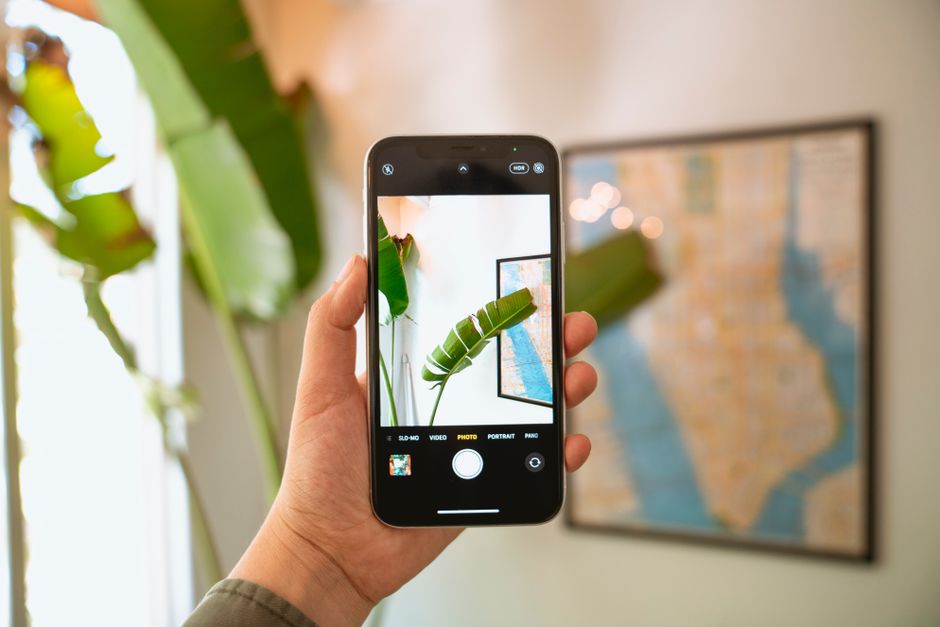
The adhesive on these grips is designed to remain attached with normal use. If you ever need to remove it, you can peel it off carefully. The magnets do not wear out, and the plastic body is designed to handle daily use.
One thing to keep in mind: if you use it frequently as a stand, the hinge point where you bend it might show cosmetic changes over time. This does not affect function. Refer to the manufacturer's specifications and warranty for details on product longevity.
There are other phone grips and stands on the market. The Oh Snap offers a slim profile, dual-magnet design, and a price point that may appeal to various users. Some grips are thicker, some don't work with MagSafe, and some cost more.
The Oh Snap provides a straightforward design that serves multiple functions without added bulk. When you're ready to pair it with a quality phone case, Syndmart has options that work with your grip.
Wireless charging compatibility depends on coil placement and magnetic positioning. The dual magnets in the Oh Snap are designed to minimize interference, but proper centering is important.
When you're setting it up, aim to place the grip below the midline of your phone or off to one side. Most phones have the coil in the top half or center, so positioning lower may reduce interference. Once you've placed it, test it with your actual wireless charger to confirm it works. If charging seems slow or inconsistent, try repositioning the grip slightly. Refer to your phone manufacturer's guidance on wireless charging for technical details.
To maintain your Oh Snap:
The Oh Snap is popular because it serves multiple functions without complicating your phone setup. You get grip, stand, and magnetic mounting in one accessory. It's thin and designed to add minimal bulk to your phone.
Most users find it useful once installed. When shopping for phone accessories and protective solutions, remember that Syndmart stocks a full range of phone cases and protective gear designed to work alongside accessories like these.
A lot of people wonder if adding a grip makes their phone bulkier. A 3mm thick grip adds minimal thickness, especially compared to most phone cases (which are often 2-3mm thick themselves).
Others wonder if it's practical to have a grip that also acts as a stand. Having one tool serve multiple functions can be convenient for users who want versatility.
The adhesive is designed to attach to phone backs. When you eventually remove it, refer to the manufacturer's instructions for removal guidance. The magnets inside are shielded. Refer to the device instructions regarding wireless charging compatibility.
It works best on a slim case or directly on your phone. If your case is very thick or has a rubbery texture, the adhesive grip may vary. For best results, apply it to a case that's 1-2mm thick or use it directly on your phone's back. Refer to the manufacturer's instructions for specific guidance.
Refer to the manufacturer's specifications and warranty for details on adhesive longevity and product durability.
The Oh Snap is compatible with MagSafe-compatible car mounts, wall mounts, and magnetic accessories. Refer to the manufacturer's instructions and the specific mount's compatibility guidelines for details.
Ready to shop?
Shop Now →
A waterproof phone case keeps your device safe from water damage during pool days, beach trips, and water sports. Here's everything you need to know...
Waterproof Phone Case: IP Ratings, Protection Levels & Buying Guide
A phone holder for bed is a simple accessory that lets you watch videos, scroll, or video call without holding your phone. We'll walk you...
Phone Holder for Bed: Best Ways to Mount Your Device
The Oh Snap phone grip is a slim, dual-magnet accessory that doubles as both a grip and stand. We break down how to use it,...
Oh Snap Phone Grip: Complete Guide to Features & Setup
Picking the right diving sock thickness is the difference between a comfortable day in the water and raw, painful feet. We'll walk you through exactly...
Diving Socks Thickness Guide: Choose the Right Mm